Study Spot Finder
Helping students discover campus study spaces through location context and community knowledge.
A working campus discovery app built with Python and Anvil that lets students explore study locations on an interactive map, view photos and descriptions, see community ratings, leave comments, and find nearby coffee.
TL;DR
Study Spot Finder is a working campus discovery app that helps students find study spaces with more context than a static list. I built the app with Python and Anvil, using an interactive Google Map, persistent location data, photo galleries, comments, ratings, and nearby-coffee logic to make each study spot easier to evaluate.
Finding a place to study should not require wandering across campus.
Students often choose study spaces through habit, word of mouth, or trial and error. That makes the decision inefficient, especially when someone needs a specific environment, wants to compare options, or is unfamiliar with a part of campus.
The product opportunity was to make study-space discovery more visible and contextual. Instead of only answering where a place is, the app begins to answer what the space is like and whether it is worth going there.
Explore first. Decide with context.
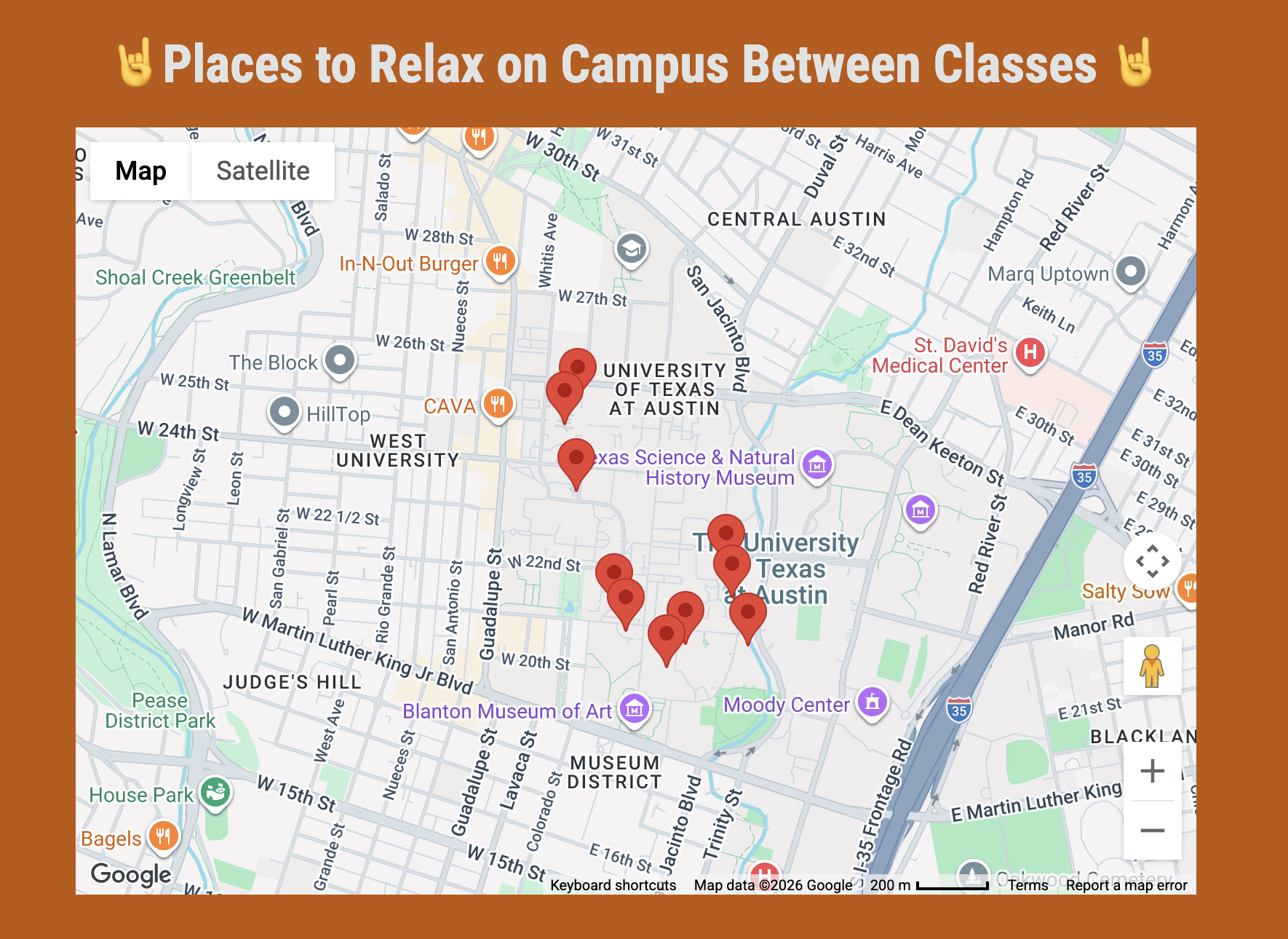
The core experience starts with an interactive map. Students can select study locations, review details, browse photos, read community comments, see ratings, and identify nearby coffee options.
The goal was not to over-design a campus app with every possible feature. The MVP focused on one complete decision path: discover a place, understand it, evaluate community context, and decide whether to go.
Product visual
The map view shows the working campus discovery experience: study locations are organized geographically around UT Austin so students can start by understanding what is nearby before deciding where to go.
Connecting an interactive frontend to persistent campus data
The frontend, application logic, and database needed to behave as one connected system. When a student selects a marker, the interface has to know which location record to use before it can retrieve the correct media and community data.
Python handles event logic, validation, calculations, and database interactions. Anvil provides the interface and persistent data tables, which allowed the product to remain technically focused while still supporting real user input.
Each location acts as the anchor for its community data.
The location record is the anchor for the rest of the product. Images, comments, and ratings become useful only when the application can reliably associate them with the study space they describe.
This relational structure prevents community content from becoming one undifferentiated feed. It also creates a foundation for adding more location-specific attributes later, such as noise level, outlets, amenities, and availability.
Small implementation decisions made the app feel like a real product.
Several small technical choices made the prototype behave more like a product than a set of static screens. Database-driven markers meant locations could be updated without rewriting the interface, while validation protected the community layer from empty or invalid submissions.
Calculated averages and nearest-coffee results added derived context from existing data. These features were intentionally simple, but they demonstrated how application logic could make the underlying records more useful.
The MVP focused on discovery. Availability comes next.
The MVP concentrated on discovery and location-specific context. The implemented features were enough to test the complete path from selecting a location to reading and contributing information about it.
Real-time availability, personalized recommendations, and advanced filtering were left for later because each introduces new data, freshness, or trust requirements. Keeping those ideas separate makes the line between the working product and future direction explicit.
From class project to production-ready product
Moving from a class project to a production product would require stronger identity, moderation, permissions, and routing data. Those changes are not cosmetic. They affect the reliability and safety of the information students use to make a decision.
I would prioritize improvements that strengthen trust before adding more recommendation features: walking-distance data instead of coordinate distance, authenticated contributions, timestamps for crowd reports, moderation controls, and filters for noise, outlets, indoor or outdoor spaces, and amenities.
Building the app changed the question from features to data movement.
This project helped me understand that full-stack product work is not just about screens. Every feature depends on how information is stored, retrieved, validated, updated, and reused.
The most important shift was realizing that the map, comments, ratings, photos, and coffee logic were not separate pieces. They all depended on a location record acting as the shared source of context. Once I understood that, the product became easier to reason about and easier to extend.
Analyzing Spotify
What makes a song popular, and how much can the data actually tell us?
VIEW PROJECT →